Password Strength Checker: Analyze Entropy, Crack Time, Patterns and Password Security
A password can contain uppercase letters, lowercase letters, numbers, and symbols and still be surprisingly easy to guess.
For example, a password that follows a familiar structure, uses a common word, adds a predictable number, and finishes with a symbol may satisfy traditional complexity requirements without providing much real protection. Modern password analysis therefore needs to look beyond character categories and examine length, unpredictability, recognizable patterns, entropy, and likely attack strategies.
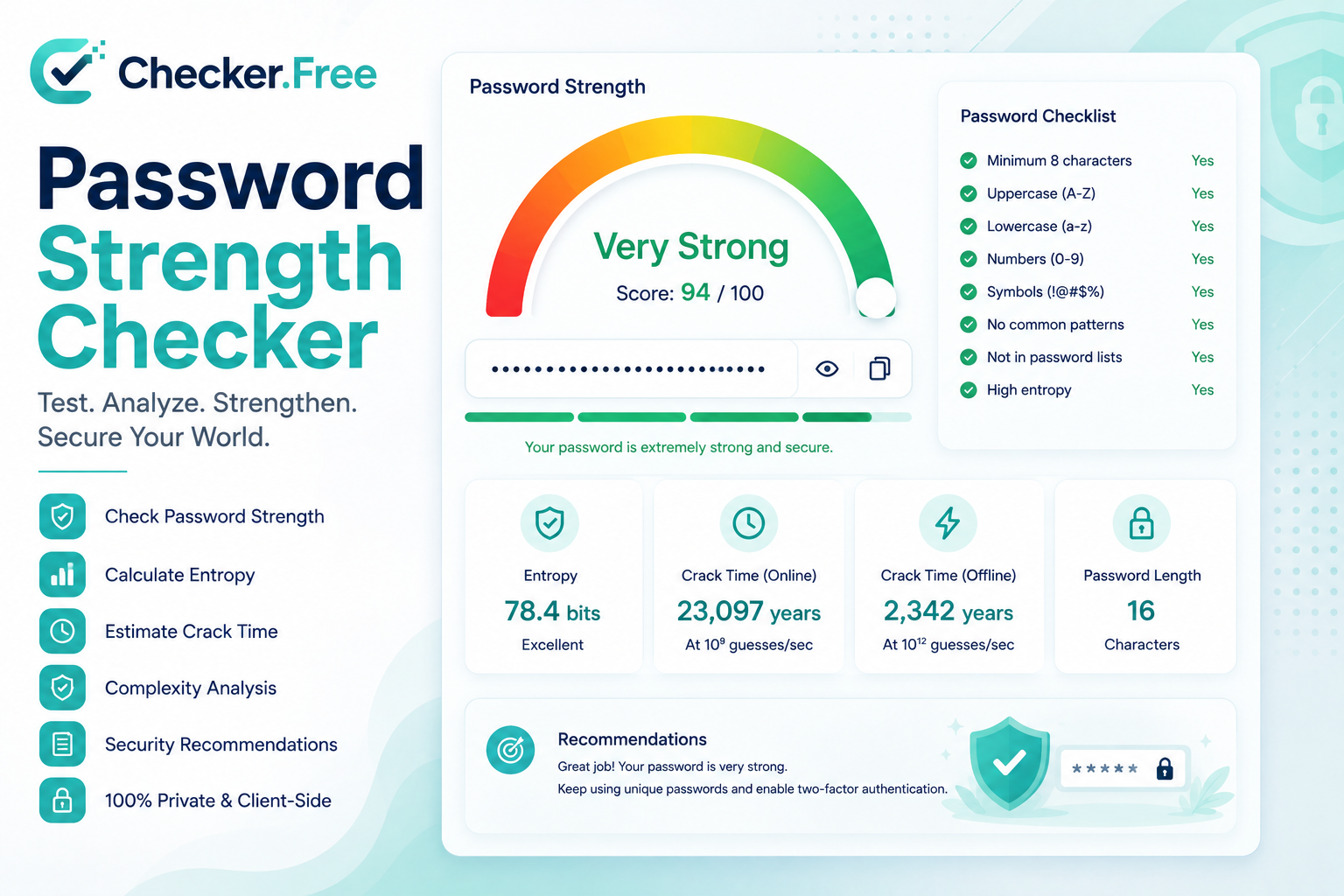
The Checker.Free Password Strength Checker is designed as a broader password security analyzer. It evaluates estimated effective entropy, password structure, writing system, likely language, pattern weaknesses, and several theoretical crack-time scenarios. The page also includes batch auditing, password generation, passphrase generation, password comparison, and security recommendations.
What Is a Password Strength Checker?
A password strength checker is a tool that analyzes how resistant a password may be to automated guessing.
A basic checker might simply count characters and look for uppercase letters, lowercase letters, numbers, and symbols. A more advanced analyzer can examine the structure of the password and identify patterns that reduce its effective search space.
The Checker.Free analyzer considers several dimensions at once, including:
Password length
Unique character count
Estimated effective entropy
Character diversity
Pattern resistance
Structural patterns
Writing system
Likely language
Potential vulnerabilities
Estimated crack times under different attack scenarios
The page describes password strength as a combination of length, character diversity, entropy, unpredictability, and resistance to dictionary and structural attacks rather than a simple checklist of character types.
That distinction is important because two passwords of the same length can have dramatically different security characteristics.
Password Strength vs. Password Entropy
One of the most important concepts in password security is entropy.
Password entropy represents uncertainty or unpredictability in a secret. It is expressed in bits.
The theoretical formula presented by the analyzer is:
H = L × log₂(R)
where:
H= theoretical entropyL= password lengthR= size of the character pool
For example, a password created from a larger character pool has a larger theoretical search space than one restricted to a small set of characters.
The source explains that every additional bit of entropy doubles the theoretical search space.
However, this mathematical formula assumes something that human-created passwords often do not satisfy: randomness.
If a user chooses a recognizable word and modifies it in an obvious way, the theoretical calculation can exaggerate the actual difficulty.
That is why the analyzer also uses effective entropy.
What Is Effective Password Entropy?
Theoretical entropy assumes characters were selected uniformly and independently from a defined character set.
Human-created passwords are rarely that random.
People tend to:
Choose dictionary words.
Capitalize the first character.
Add a number at the end.
Use familiar symbols.
Repeat characters.
Use keyboard patterns.
Replace letters with common leetspeak substitutions.
Include names, dates, or recognizable personal information.
The analyzer therefore evaluates structural tokens and predictable transformations when estimating effective entropy.
For example, replacing e with 3 or a with @ may visually make a password look more complex, but the transformation itself can be predictable. The source specifically describes penalties for dictionary substrings, keyboard walks, repeated patterns, and common leetspeak substitutions.
This makes effective entropy a more useful concept for evaluating human-generated passwords than simply counting character classes.
Understanding the 0–100 Password Strength Score
The analyzer provides a 0–100 password strength score.
This score is a site-generated heuristic designed to combine multiple password characteristics into one easier-to-read indicator.
The scoring breakdown includes four major components:
Length Score
Longer credentials generally provide a larger possible search space, assuming the additional characters are not merely predictable repetitions or common phrases.
Character Diversity
This considers the variety of characters used in the password rather than only the total number of characters.
Entropy Density
This represents how much estimated unpredictability is present relative to the password structure.
Pattern Resistance
This examines whether the password contains recognizable structures that could make guessing easier.
The analyzer displays these factors separately so that users can understand why a password receives a particular result instead of relying solely on a single final number.
A score should therefore be treated as a heuristic indicator, not as a cryptographic guarantee.
Why Password1! Can Still Be Weak
One of the most useful examples on the page is the classic Password1! pattern.
At first glance, it looks complicated:
Uppercase letter
Lowercase letters
Number
Symbol
Yet its structure is extremely recognizable.
It starts with a common dictionary word, uses conventional capitalization, adds a predictable number, and finishes with a familiar symbol.
Automated password attacks do not necessarily begin with uniformly random combinations. They can prioritize common words and transformations because those patterns appear frequently in real-world passwords.
The source specifically uses Password1! to illustrate the difference between satisfying complexity rules and creating genuine unpredictability.
This is one reason modern password guidance places more emphasis on length, uniqueness, and unpredictability.
How Long Should a Password Be?
Password length is one of the strongest foundations of password security, but length should be considered together with password construction.
The page references current NIST guidance and states that NIST SP 800-63B emphasizes long passwords and screening against compromised values rather than relying primarily on rigid composition rules.
The source states:
15 characters minimum for a single authentication factor.
8 characters minimum when used as part of MFA.
Support for passwords of at least 64 characters.
These requirements are presented by the page as part of its password-security guidance.
A long password built from predictable material can still have low effective entropy. Length is therefore important, but randomness and uniqueness matter as well.
Password Crack-Time Estimates
The analyzer provides multiple theoretical crack-time scenarios.
The page includes four reference models:
Online Web Form
This represents a rate-limited login environment and uses a model of approximately 100 guesses per second.
Modern Slow Hash
This scenario uses approximately 10,000 guesses per second and represents slow password hashing approaches such as bcrypt, Argon2, or PBKDF2.
Fast Offline Hash
This scenario uses approximately 10 billion guesses per second and represents faster hash algorithms such as MD5, NTLM, and SHA-1.
GPU Supercluster
This is an extreme theoretical scenario using approximately 100 trillion guesses per second across distributed multi-GPU hardware.
These figures are not predictions of exactly how long a real attacker would take. The page explicitly describes crack-time calculations as theoretical reference models based on assumptions about hardware and guess rates.
The correct way to use them is to compare relative resistance rather than treat a displayed time as a guaranteed security deadline.
Online Attacks vs. Offline Attacks
A major distinction in password security is whether an attacker is interacting with a live login system or has obtained password hashes.
An online attack targets an active authentication system. Network latency, login throttling, account lockouts, and CAPTCHAs can restrict the number of guesses.
An offline attack occurs when an attacker obtains password hashes and can perform password guesses locally without the same network restrictions.
The analyzer includes both kinds of environments in its theoretical models.
This distinction explains why the same password can face very different practical conditions depending on how the password is stored and what an attacker has obtained.
Dictionary Attacks and Password Rules
A dictionary attack does not necessarily mean trying only words from a dictionary.
Modern guessing systems can combine:
Common words
Leaked passwords
Number substitutions
Capitalization patterns
Symbol substitutions
Appended years
Repeated sequences
Known password structures
The page describes dictionary and rule attacks as testing common words and leaked values together with transformations such as leetspeak and suffix patterns.
This is why a password such as:
Summer2026!
may be much less unpredictable than its mixture of letters, digits, and punctuation suggests.
Password Spraying
Password spraying is different from ordinary brute force.
Instead of trying thousands of passwords against a single account, an attacker may test one or two common passwords against many accounts.
This helps attackers avoid some per-account lockout mechanisms.
The page specifically describes common seasonal and welcome-style passwords as examples of passwords that can be targeted in spraying attacks.
For organizations, this makes common password prevention especially important.
Credential Stuffing and Password Reuse
Credential stuffing takes advantage of another common problem: password reuse.
When credentials from one breached service are exposed, attackers may automatically test the same username and password combinations against completely unrelated services.
A reused password can therefore turn one compromised account into a pathway toward other accounts.
The source emphasizes that password reuse connects the security of multiple accounts to the weakest service where the password was used.
That is why every important account should have a unique password.
A password manager makes this more practical because users do not have to memorize dozens of unrelated credentials.
You can also use other Checker.Free utilities for broader security workflows, such as the Password Strength Checker itself alongside the site's other diagnostic tools.
Passwords vs. Passphrases
A strong password does not necessarily have to look random and chaotic.
A passphrase can consist of several randomly selected words separated by delimiters.
For example, the page uses an example structure similar to:
Castle-River-Dragon-Haven
The advantage is that multiple words can create a substantial search space while remaining easier for humans to remember and type.
The page distinguishes between compact random passwords and multi-word passphrases, with both approaches capable of providing strong security when generated unpredictably.
Built-In Secure Password Generator
The Checker.Free page does not only analyze existing passwords. It can also generate new credentials.
The generator provides two modes:
High-Entropy Password
The random password generator allows control over password length from 8 to 64 characters.
It also provides options for:
Uppercase letters
Lowercase letters
Numbers
Symbols
The generated result can then be copied or sent directly back into the analyzer for evaluation.
Memorable Passphrase
The passphrase generator allows users to select between 3 and 10 words.
Available separators include:
Hyphen
Period
Underscore
Space
There are also options for capitalization and including a random number.
The generator provides a useful workflow because a newly generated credential can be immediately tested using the analyzer rather than evaluated separately.
Compare Two Passwords Side by Side
The page also includes a Side-by-Side Password Comparison feature.
Two credentials can be analyzed as:
Baseline Password
Alternative Password
For each, the interface displays:
Strength score
Estimated effective entropy
Writing system
Likely language
Fast crack time
This is useful when evaluating whether a newly generated password actually improves on an older credential.
It can also demonstrate why a longer password is not automatically better when it contains predictable structures.
Batch Password Auditing
One of the more advanced features is the Batch Multi-Password Auditor.
Instead of entering one password at a time, users can provide multiple entries, one per line, with support for up to 50 items.
The batch auditor reports:
Total analyzed
Average score
Duplicate groups
Shared patterns
Strength distribution
Individual audit results
Effective entropy
Writing system
Likely language
Fast crack time
Detected flags
The page describes this functionality as useful for identifying identical credentials and shared structural roots within a group.
For an organization, this can help expose patterns such as standardized passwords, shared company prefixes, or repeated structures.
However, sensitive production credentials should always be handled according to an organization's security policy before placing them into any analysis workflow.
Duplicate Passwords Are a Major Security Problem
If several users or accounts share the same password, compromising one credential can increase the risk across the entire group.
The batch analyzer specifically tracks duplicate groups and shared patterns.
This is useful for spotting situations where passwords differ only slightly:
Company2026!
Company2026@
Company2026#
They may look different at first glance, but they share a common predictable root.
A secure organizational password policy should therefore focus not only on whether passwords are technically different, but also on whether predictable shared structures exist.
Unicode, Writing Systems and Password Analysis
Modern passwords may contain characters from multiple writing systems.
The analyzer reports the detected Writing System and a Likely Language heuristic.
This provides additional context around the composition of a password.
It is important to understand that language detection is a heuristic rather than proof of the password owner's language or identity. Its value is in identifying recognizable linguistic structures that could affect guessability.
For Unicode-heavy workflows, Checker.Free also provides an Invisible Character Checker, which is useful for investigating hidden Unicode characters and visually confusing text.
Should You Change Passwords Every 30, 60 or 90 Days?
Traditional policies often required users to rotate passwords on fixed schedules.
The page explains that modern NIST guidance advises against arbitrary periodic password expiration because forced changes can encourage predictable modifications.
For example, someone may replace:
Spring2025!
with:
Summer2025!
without meaningfully improving security.
The source instead emphasizes unique passwords, password managers, MFA, and changing credentials when they are actually compromised or suspected to have been exposed.
Password Hashing vs. Encryption
Passwords should not normally be stored as reversible encrypted text.
The source distinguishes:
Encryption
A two-way cryptographic process that can be reversed with a key.
Hashing
A one-way mathematical transformation used to convert a password into a fixed-length representation.
Secure password storage also uses mechanisms such as unique cryptographic salts and slow, memory-hard password-hashing algorithms. The page names Argon2id and bcrypt as examples.
This distinction is fundamental to understanding how password databases should be protected.
What Is a Cryptographic Salt?
A salt is additional unique data combined with a password before hashing.
Its purpose includes preventing identical passwords from producing identical stored hashes and making certain precomputed attack techniques less useful.
A secure password-storage system should use a unique salt for each credential rather than relying on one global value.
The analyzer itself does not inspect how an external website stores passwords. That is outside the scope of a client-side password-strength checker.
Password Managers and Unique Credentials
A password manager can make strong password practices much more realistic.
Instead of memorizing one or two passwords and reusing them everywhere, a password manager can generate and store different credentials for each service.
The page highlights this as a way to reduce the cognitive burden of handling long, random and unique passwords.
A typical secure workflow is:
Generate → Store → Use → Never Reuse
The most important advantage is uniqueness: a breach at one website does not automatically expose the password for another service.
MFA and Passkeys
Passwords are only one layer of account security.
The page also discusses Multi-Factor Authentication (MFA) and passkeys.
Passkeys use public-key cryptography through technologies associated with FIDO2 and WebAuthn. Instead of sending a reusable password to a service, the authentication system verifies a public-key credential.
This changes the security model and can provide strong resistance against phishing and credential reuse attacks.
For important accounts, combining unique passwords with MFA or moving to passkeys where supported can provide a stronger authentication architecture than password-only authentication.
What to Do If a Password Has Been Breached
When a credential is known or suspected to be compromised, the goal should be containment rather than simply changing one character.
A practical response is:
Change the compromised password immediately.
Replace it with a newly generated unique credential.
Change the password anywhere else it was reused.
Enable MFA.
Terminate active sessions where the service supports that feature.
Review account recovery settings.
Check for unexpected changes to email addresses, phone numbers, security settings, or API credentials.
The source provides a similar breach-response checklist.
What This Password Analyzer Can and Cannot Determine
A password analyzer can provide valuable information, but it should not be confused with a complete security audit.
What it can analyze
The Checker.Free analyzer can evaluate:
Effective entropy
Character diversity
Length
Structural patterns
Dictionary-style weaknesses
Keyboard patterns
Unicode writing systems
Likely language heuristics
Brute-force reference scenarios
Duplicate passwords in batch mode
Shared password structures
Password generation options
What it cannot determine
The page explicitly notes several limitations:
It does not query live breach databases.
It cannot determine how another website stores password hashes.
It cannot protect a computer from malware or keyloggers.
It cannot protect users from phishing websites.
No password is mathematically unbreakable under unlimited time assumptions.
These limitations are important when interpreting the results. A strong analyzer result does not guarantee that an account itself is secure.
Password Security Checklist
A practical password-security checklist can be summarized as follows:
Use sufficient length
Long passwords and genuinely random passphrases generally provide a better foundation than short credentials.
Make every password unique
Do not reuse important credentials across different services.
Avoid personal information
Do not rely on names, birthdays, addresses, usernames, company names, or other predictable biographical information.
Avoid predictable substitutions
Replacing letters with familiar symbols does not automatically create meaningful unpredictability.
Use a password manager
Let a password manager generate and store unique credentials when possible.
Enable MFA
Add an authentication layer beyond the password.
Consider passkeys
Use passkeys where appropriate and supported.
Respond quickly to breaches
A compromised password should be replaced rather than periodically rotated on an arbitrary schedule.
Final Thoughts
Password security is not simply a matter of counting uppercase letters, numbers, and symbols.
A useful password analysis needs to consider length, entropy, predictability, patterns, dictionary roots, keyboard structures, uniqueness, and the attack environment.
The Checker.Free Password Strength & Security Analyzer brings these concepts together in a single interface. It can analyze one password, compare two credentials, estimate theoretical crack times under multiple scenarios, identify structural weaknesses, generate random passwords and passphrases, and audit groups of passwords for duplicates and shared patterns.
Its effective-entropy approach is particularly useful for understanding why a password that appears complicated may still be predictable. Theoretical entropy and estimated crack time are also presented as analytical reference points rather than guarantees.
For stronger account security, the broader workflow should extend beyond the password itself: use unique credentials, store them securely with a password manager, enable MFA, consider passkeys, and change passwords when they are compromised rather than simply because an arbitrary calendar interval has passed.
Finally, remember that a password-strength score is only one part of security. Account protection also depends on secure password storage, phishing resistance, device security, recovery settings, multi-factor authentication, and the security practices of the service where the password is used.
The official tool is available here: Password Strength Checker – Checker.Free.
Comments
Post a Comment