Invisible Character Checker: Detect Hidden Unicode, Zero-Width Characters, Bidi Controls & Homoglyphs
Invisible Character Checker: Detect Hidden Unicode, Zero-Width Characters, Bidi Controls & Homoglyphs
Text can look completely normal while containing characters that software treats very differently from what the human eye sees. A zero-width space, a bidirectional override, a confusable character from another alphabet, or an unusual Unicode normalization form can change string comparisons, parsing behavior, identifiers, search results, and even how source code appears during review.
Checker.Free's Invisible Character Checker & Unicode Inspector is designed to expose these hidden structures, analyze Unicode code points, perform security-oriented checks, compare normalization forms, and clean suspicious text while preserving characters that may be legitimate for multilingual writing and emoji.
What Is an Invisible Character?
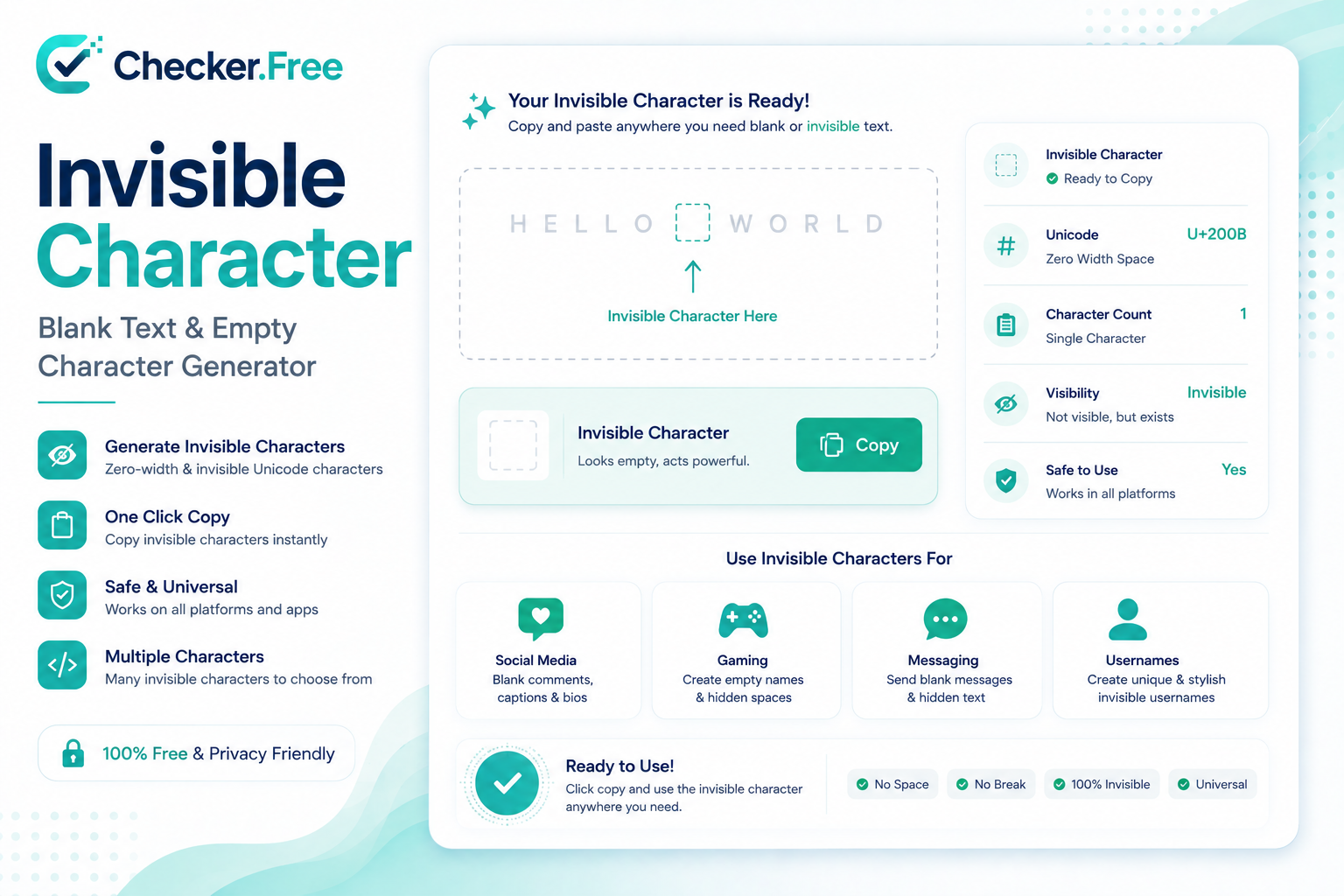
An invisible character is a valid Unicode code point that does not necessarily produce visible ink on the screen. Unlike an empty string, it still exists inside the encoded text and can contribute to character counts, byte storage, comparisons, parsing, and other operations.
For example, U+200B Zero Width Space can be present between two visible characters without appearing as a normal space. Other characters such as U+200C ZWNJ, U+200D ZWJ, and U+FEFF BOM can affect formatting, shaping, or encoding behavior. The Checker.Free page specifically distinguishes invisible text from genuinely empty text and explains how these hidden code points can affect raw comparisons.
Consider the difference between:
""
and:
"\u200B"
The first is truly empty. The second contains a Unicode code point even though it may look blank.
This distinction becomes especially important when software uses length checks, equality comparisons, validation rules, regular expressions, databases, or source-code parsers.
Why Hidden Unicode Characters Matter
Invisible characters are not automatically malicious or incorrect. Many exist for legitimate typographic, linguistic, or encoding purposes.
The problem appears when their presence is unexpected.
The Checker.Free reference identifies several important classes of Unicode artifacts:
Zero-width characters such as U+200B and U+2060
Bidirectional controls such as U+202E
Confusable homoglyphs from visually similar alphabets
Non-breaking and special spaces
Control characters and other non-printing characters
These can create situations where two pieces of text look identical but are structurally different.
For developers, that may mean a failed equality comparison or unexpected parser behavior. For security teams, visually similar characters can contribute to spoofing and impersonation scenarios.
Zero-Width Characters: U+200B, U+200C and U+200D
One of the most important concepts when working with Unicode is that zero width does not mean zero significance.
U+200B — Zero Width Space
The Zero Width Space is designed to provide a possible line-break location without displaying a conventional space. It may also appear unexpectedly in copied text or transformed content.
U+200C — Zero Width Non-Joiner
The ZWNJ controls character joining behavior in scripts such as Arabic, Persian, and Indic writing systems. Removing it without understanding the language context can change the visual shaping of legitimate text.
U+200D — Zero Width Joiner
The ZWJ is widely used in complex emoji sequences and character shaping. For example, an emoji sequence can contain a Zero Width Joiner even though the complete sequence appears to a reader as a single visible symbol.
This is why a simple rule such as “delete every zero-width character” can be too aggressive.
The page explicitly warns that legitimate Arabic and Persian shaping, as well as composite emoji, can depend on these formatting controls.
Invisible Text Is Not the Same as Empty Text
This difference is useful when debugging forms, usernames, databases, APIs, and validation systems.
An empty string contains no characters:
""
Invisible text contains actual Unicode data:
"\u200B"
The second value can satisfy a non-empty check while appearing blank to the user. The Checker.Free page notes that invisible characters can occupy encoded storage and participate in raw string comparisons despite producing no obvious visual glyph.
This makes an invisible character checker useful when a field appears empty but behaves as though it contains data.
Bidi Controls and Directional Text
Unicode supports both left-to-right and right-to-left writing systems. Bidirectional control characters influence how text is visually ordered.
A particularly important example is U+202E Right-to-Left Override (RLO).
The underlying string can remain unchanged while its visual presentation is reordered. This becomes especially significant when examining filenames, source code, logs, identifiers, or text copied from untrusted sources.
Checker.Free includes a dedicated Security Scan that evaluates directional controls and other structural anomalies. Its interface separates Bidi overrides from confusable-character findings so that suspicious Unicode behavior can be reviewed independently.
Homoglyphs and Confusable Characters
A homoglyph is a character that visually resembles another character even though the two belong to different Unicode code points or scripts.
A classic example is the visual similarity between:
Latin a  → U+0061
Cyrillic а → U+0430
To a human reader, they can appear nearly identical. To software, they are different characters.
This is particularly relevant to:
Domain names
Usernames
Login identifiers
Source code
URLs
Account impersonation
Phishing investigations
Checker.Free's Security Scan specifically includes Mixed Script Identifiers & Confusables to help identify these lookalike characters.
Inspect Unicode at the Character Level
The Character Table gives a more forensic view of the input.
Instead of simply displaying a sentence, the inspector can expose metadata such as:
| Field | Purpose |
|---|---|
| Glyph | Shows the rendered character when possible |
| Codepoint | Identifies the Unicode value |
| Unicode Name | Provides the character's standardized name |
| Script / Block | Shows its Unicode group or writing system |
| Classification | Indicates the detected character category |
| Action | Allows the character to be reviewed or handled |
The page also provides filtering for categories such as invisible characters, Bidi controls, homoglyphs, special spaces, control characters, and hidden HTML structures.
This makes the tool useful not only for finding “blank characters” but also for understanding exactly what is inside a string.
Visual Highlighting Makes Hidden Characters Easier to Understand
The inspection interface includes a Visual Highlight view where suspicious content can be displayed using markers, codepoints, or literal representations.
Users can switch between:
Original Input
Cleaned Result
Markers
Codepoints
Literal representation
This is especially helpful when a suspicious character is impossible to identify by simply looking at the original text.
Rather than guessing why two strings behave differently, you can inspect the actual Unicode structure.
Unicode Normalization: NFC, NFD, NFKC and NFKD
Not every Unicode problem is caused by invisible characters.
Two strings can look equivalent while using different underlying Unicode representations. This is where Unicode normalization becomes important.
The tool provides side-by-side analysis for:
NFC — Canonical Composition
NFD — Canonical Decomposition
NFKC — Compatibility Composition
NFKD — Compatibility Decomposition
The Normalization tab allows these forms to be compared directly and includes examples involving combining marks, ligatures, and full-width characters.
For developers, normalization can be valuable when dealing with:
Search
Text matching
Databases
User input
Identifiers
Multilingual content
Unicode-aware applications
Normalization and invisible-character detection address different problems, so having both in the same inspection workflow is useful.
Safe Cleaning vs Aggressive Cleaning
One of the most important features of this tool is that it does not treat every invisible Unicode character as something that should automatically be deleted.
Checker.Free provides two different cleanup approaches.
Safe Clean
The Safe Clean mode removes unwanted zero-width spaces and unnecessary BOMs while attempting to preserve legitimate formatting characters such as:
U+200D ZWJ
U+200C ZWNJ
Typographical spacing
Valid script formatting
The page identifies this as the recommended cleaning approach.
Remove All Hidden & Unsafe
The aggressive option strips a much broader set of hidden and non-printing characters, including zero-width characters, directional controls, variation selectors, and unsafe control codes.
This can be useful for specific sanitization tasks, but it can also change legitimate emoji or multilingual text. The page explicitly warns that aggressive stripping may affect Arabic/Persian presentation and complex emoji sequences.
The practical lesson is simple: inspect first, clean second.
Generate Blank and Invisible Characters
The page also contains a dedicated Blank Space / Invisible Character Generator.
Several Unicode options are available, including:
Zero Width Space
Hangul Filler
Braille Pattern Blank
Non-Breaking Space
Zero Width Non-Joiner
Zero Width No-Break Space
The generator supports different quantities and includes a Generate & Copy Blank action.
This can be useful for testing text validation, UI behavior, formatting systems, Unicode-aware applications, and other situations where controlled test characters are needed.
Upload Text and Source Files for Inspection
The tool is designed for more than simple copy-and-paste.
The input workspace supports pasted text and uploaded files, with a stated maximum file size of 5 MB. Supported examples include TXT, HTML, JSON, Markdown, CSV, JavaScript, Python, CSS, XML, and log files.
This is particularly useful when investigating:
A source file that behaves unexpectedly
A copied document containing strange spacing
A configuration file with parser errors
Logs containing non-printing characters
Web content containing hidden Unicode
Code that visually differs from its actual character sequence
The interface also keeps live counts for characters, graphemes, and lines.
Compare Hidden Differences with Diff Checker
When two lines look identical but one behaves differently, a Unicode inspection can reveal the hidden characters, while a text comparison can show where the strings differ.
Checker.Free's own Diff Checker is linked directly from the Invisible Character page for this kind of structural comparison.
A useful workflow is:
Compare the two texts.
Inspect suspicious positions in the Unicode Inspector.
Identify the exact code point.
Determine whether it is intentional.
Use Safe Clean or another controlled transformation only when appropriate.
Compare the cleaned result again.
Export Cleaned Results and Forensic Reports
After cleanup, the interface provides several ways to keep the result.
The export area includes:
Copy Clean
Apply to Input
Snapshot
TXT
JSON forensic report
CSV report
The cleaned result can also be manually edited before it is copied or exported.
That makes the tool useful for both quick troubleshooting and more structured Unicode auditing.
A Practical Unicode Cleanup Workflow
For important text, an organized workflow is safer than blindly removing hidden characters.
1. Inspect the original text
Paste the text or upload the source file and allow the live inspection to identify anomalies.
2. Review visual markers
Use the Visual Highlight tab to see where hidden structures occur.
3. Check security-related findings
Look specifically for Bidi controls, mixed-script confusables, and unusual invisible sequences.
4. Verify legitimate Unicode
Ask whether a detected character is required for Arabic, Persian, Indic scripts, emoji composition, or typography.
5. Compare normalization forms
Check NFC, NFD, NFKC, and NFKD when the issue involves apparently identical characters or inconsistent matching.
6. Apply the least destructive cleanup
Use Safe Clean when possible rather than removing every non-visible code point.
7. Review the cleaned output
The cleaned result remains editable, allowing manual verification before copying or exporting.
8. Keep a record when needed
Snapshots and TXT, JSON, and CSV exports can preserve the inspection result for later review.
Why You Should Not Delete Every Zero-Width Character
This is one of the most important lessons when working with Unicode.
A zero-width character can be suspicious, but it can also be legitimate.
For example:
ZWJ  → U+200D
ZWNJ → U+200C
The ZWJ may be required to produce a composite emoji, while ZWNJ can be important for correct script shaping.
An aggressive “delete everything invisible” rule can therefore damage valid text.
The Inspector's own documentation makes this distinction explicit by preserving legitimate joiners during Safe Clean and warning about the effects of aggressive sanitization.
Local Processing and Privacy
The page describes its inspection workflow as local browser execution. Its documentation states that analysis is performed within the browser session and that text is not intentionally sent to an external analysis service by the inspection workflow. It also describes safe DOM rendering and preservation of legitimate multilingual formatting during cleaning.
That design is particularly relevant when inspecting source code, private documents, configuration files, or other text that you would prefer not to send to a remote analysis service.
Who Can Use an Invisible Character Checker?
This type of Unicode inspection tool can be useful for a surprisingly broad range of users.
Developers can diagnose parser failures, hidden characters, failed equality checks, and identifier problems.
Security researchers can investigate Bidi controls and confusable characters.
Web developers can troubleshoot strange spaces, copied HTML, and text validation issues.
Content creators can identify hidden formatting introduced through copy and paste.
Researchers and data engineers can audit multilingual datasets before normalization or processing.
Everyday users can investigate situations where text looks correct but a website, form, or application behaves unexpectedly.
Final Thoughts
Unicode is much richer than what is visible on the screen. A single string can contain visible letters, combining marks, zero-width controls, bidirectional instructions, special spaces, confusable characters, and multiple normalization representations.
The Invisible Character Checker & Unicode Inspector on Checker.Free brings these hidden layers into view. It combines visual highlighting, per-character Unicode inspection, security analysis, normalization tools, blank-character generation, cleanup controls, snapshots, and report exports in one interface.
For simple cases, you may only need to identify a Zero Width Space. For more complicated cases, the same workflow can help you investigate Bidi manipulation, homoglyphs, normalization differences, multilingual shaping, and hidden text inside source files.
For additional text-analysis tools, visit Checker.Free and explore Diff Checker alongside the Invisible Character Checker.
Comments
Post a Comment